Capture, annotate, record —
smallest files, best quality.
LibreShot is a fast, privacy-first Chrome extension for screenshots and tab recording. Everything runs on your device — no accounts, no servers, no data collection.
Free · Manifest V3 · Works on any website
Everything you need to capture
From a quick clipboard grab to a full annotated recording — without the bloat.
Flexible capture
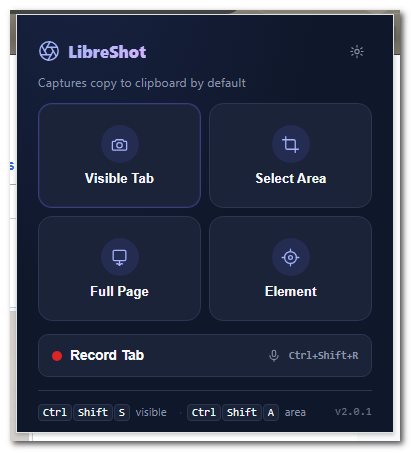
Visible tab, drag-to-select area, full scrolling page, or pick any element on the page.
Annotation editor
Rectangle, arrow, text, highlight, pixelate-blur for redaction, slice, and freehand marker.
Tab recording + mic
Record a tab to WebM with tab audio and optional microphone. Efficient VP9, adaptive bitrate, long recordings supported.
Smallest files
Lossless capture, then a single WebP encode — roughly 70% smaller than PNG, no visible loss.
Clipboard-first
Copy, download, or both. PNG / WebP / JPEG, with an adjustable quality slider.
Private by design
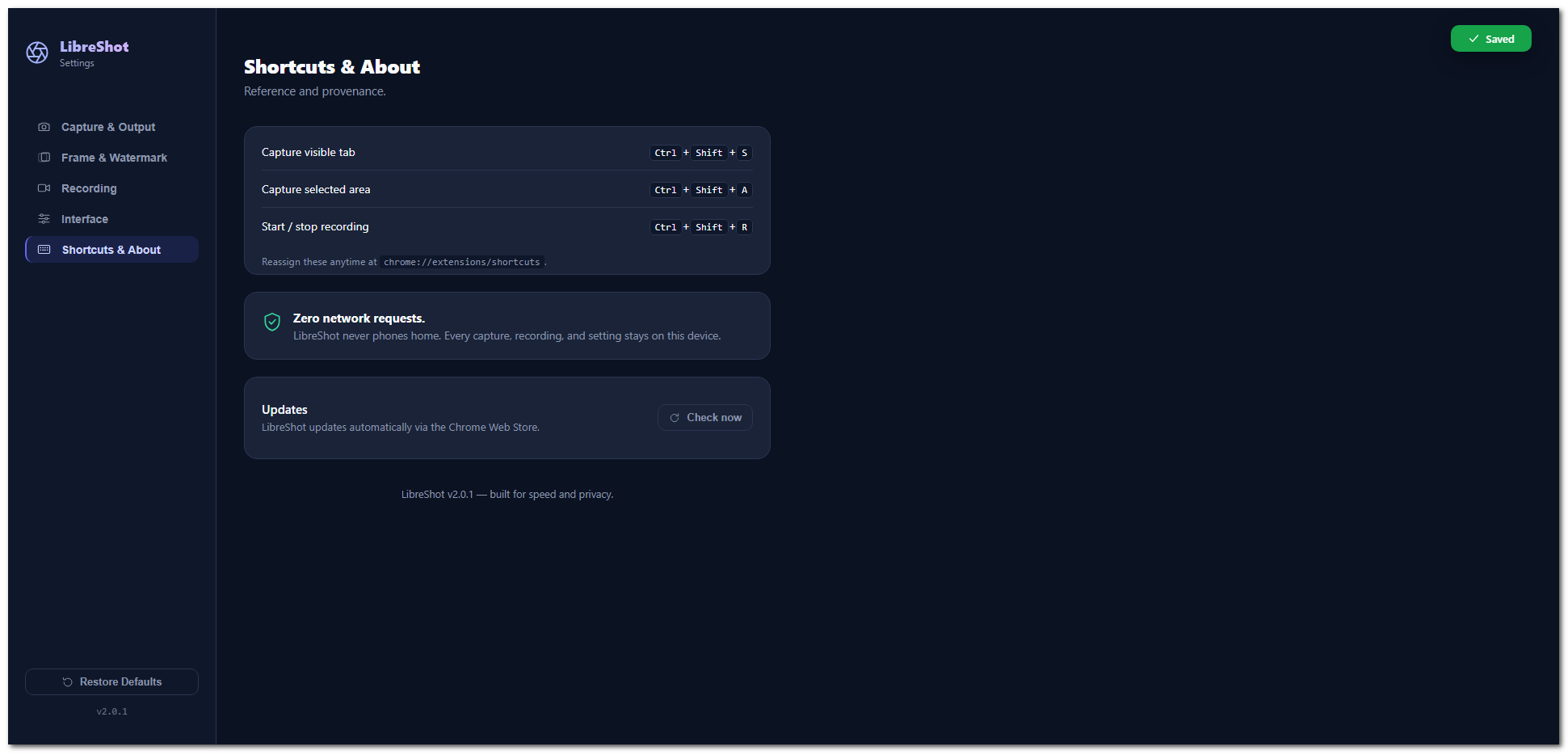
No network requests of any kind. Your captures and settings never leave your device.
See it in action
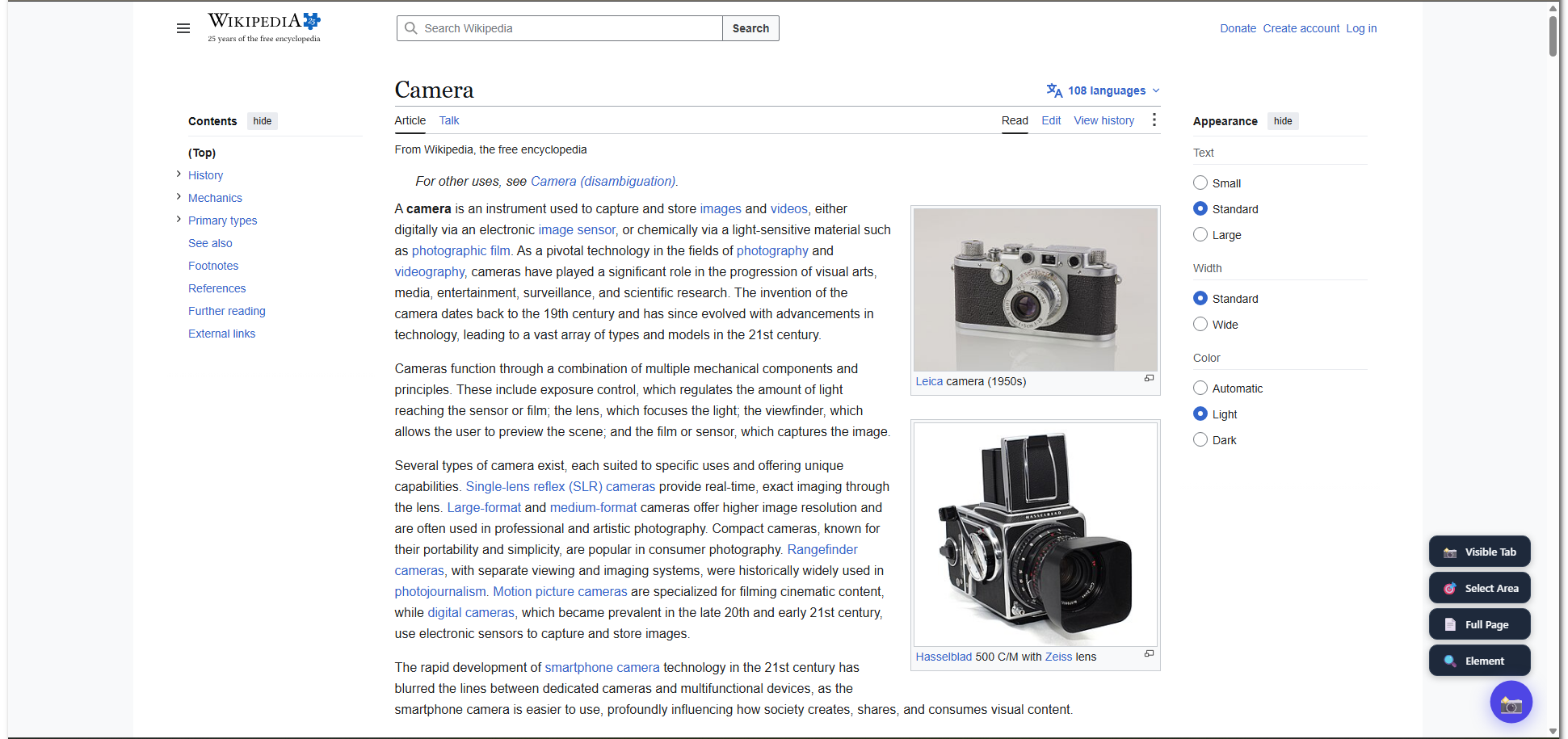
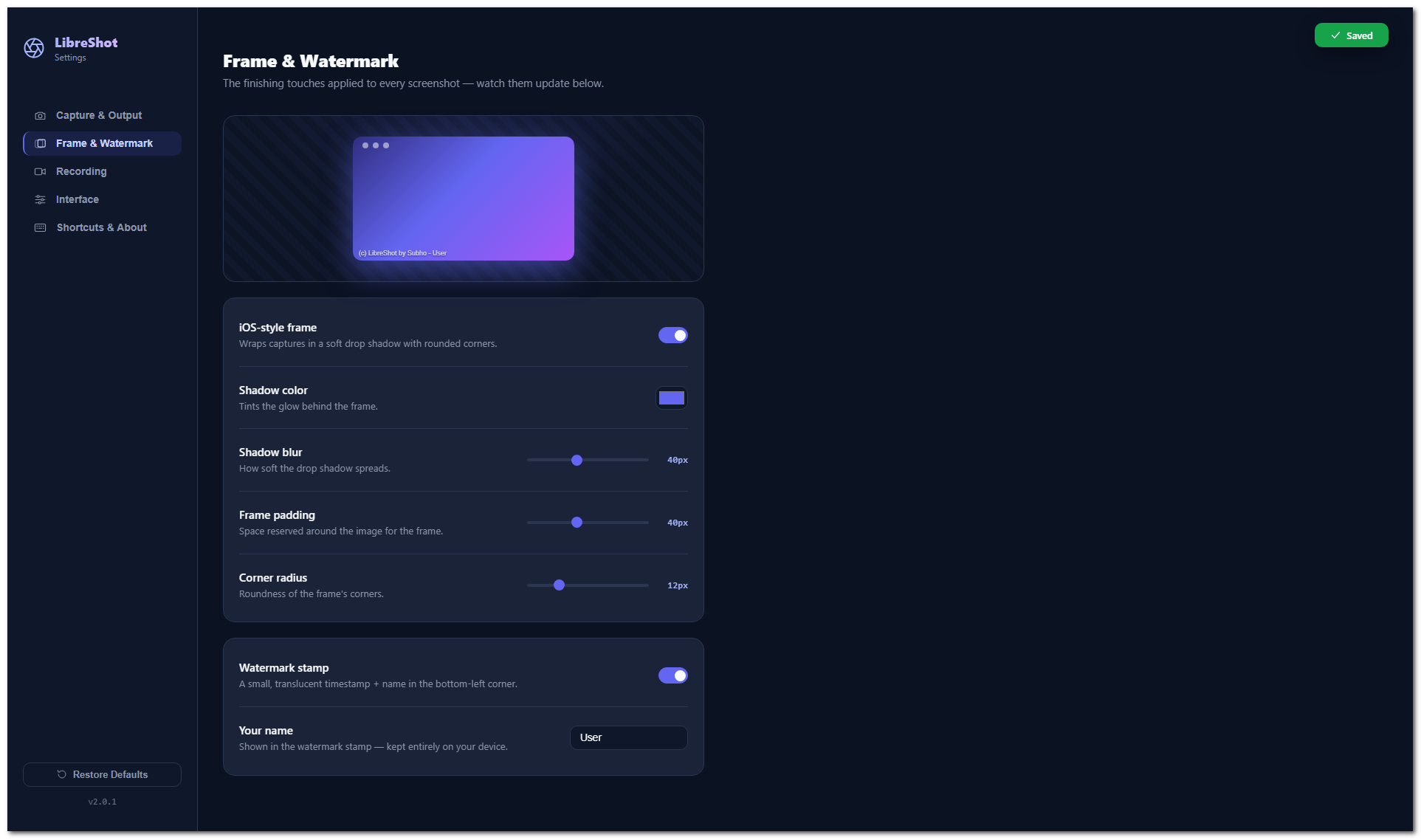
Real LibreShot, mid-capture — not mockups.
Privacy Policy
Last updated: 1 July 2026
LibreShot ("the extension") is designed to be privacy-first. In short: LibreShot collects nothing and sends nothing anywhere.
Summary
- LibreShot does not collect, store, transmit, or sell any personal data.
- LibreShot makes no network requests. It has no servers and integrates with no third-party services.
- All processing — capturing, cropping, stitching, annotating, recording, and watermarking — happens entirely on your device.
What data the extension handles
| Data | How it's used | Where it goes |
|---|---|---|
| Screenshots & screen recordings | Created when you invoke a capture or recording | Copied to your clipboard and/or saved to your Downloads folder. Never uploaded. |
| Settings (format, quality, watermark name, frame options, etc.) | Remember your preferences | Stored locally via chrome.storage.local. Never leaves your device. |
| Temporary image data | Briefly held to hand an image to the clipboard or editor | Stored locally and removed immediately after use. |
| Page content you capture | Rendered into the screenshot/recording you requested | Stays in the image/video on your device. |
| Microphone audio (optional) | Only when you enable the microphone toggle for a recording; mixed into that recording | Stays in the video file on your device. Never uploaded. Off by default. |
What the extension does NOT do
- No analytics, telemetry, or tracking of any kind.
- No account or login.
- No ads.
- Does not read or transmit your browsing history, cookies, or form data.
- Does not send screenshots, recordings, or settings to any remote server.
Permissions
LibreShot requests only the Chrome permissions necessary to capture, annotate, and save
screenshots and recordings on your device. The broad host access (<all_urls>)
exists solely so you can capture on any website you choose — it is never used to read or
exfiltrate page data. Microphone access is requested only if you turn on the microphone
option for a recording, and the audio is mixed into that local file and nothing else.
Data retention & deletion
Because LibreShot stores nothing remotely, there is nothing for us to retain or delete. To remove all local data, simply uninstall the extension; Chrome clears its local storage automatically. Screenshots and recordings you have already saved are yours to manage.
Children's privacy
LibreShot does not collect any data from anyone, including children.
Changes to this policy
If this policy changes, the updated version will be published on this page with a new "Last updated" date.
Contact
Questions about this policy? Email [email protected].
Terms of Service
Last updated: 26 June 2026
1. Acceptance
By installing or using the LibreShot browser extension ("the Software"), you agree to these Terms. If you do not agree, please do not use the Software.
2. License
LibreShot is provided free of charge for personal and commercial use. You may use it on any number of devices. You may not resell the Software or misrepresent it as your own product.
3. Acceptable use
You are responsible for how you use LibreShot, including the content you capture and record. Do not use the Software to capture or record content in violation of any applicable law, privacy right, or third-party agreement.
4. No warranty
The Software is provided "as is", without warranty of any kind, express or implied, including but not limited to fitness for a particular purpose and non-infringement. You use it at your own risk.
5. Limitation of liability
To the maximum extent permitted by law, the authors shall not be liable for any damages — including lost data, lost profits, or business interruption — arising from the use of, or inability to use, the Software.
6. Privacy
LibreShot does not collect or transmit any data. See the Privacy Policy for details.
7. Changes
These Terms may be updated from time to time. Continued use of the Software after changes constitutes acceptance of the updated Terms.
8. Contact
Questions about these Terms? Email [email protected].
Support
Need help, found a bug, or have a feature request? We'd love to hear from you.
Reach out any time:
We typically respond within a couple of business days. Please include your Chrome version and a short description of what you were doing.